Follow progress
Which session is running, how far it has got, what it is stuck on — visible without walking back.
The coding agent on your computer works fine — it just assumes you are sitting next to it. AgentLink runs that line to your phone: follow progress, add an instruction, clear the approvals it is waiting on, then carry on in the same session when you are back.
Once a task is handed to a coding agent, the expensive part is rarely how fast it writes. It is how long it spends waiting on you: a confirmation, a clarification, a permission.
Which session is running, how far it has got, what it is stuck on — visible without walking back.
Add a requirement or change direction. The session carries on at the computer, no restart.
Commands waiting for confirmation, actions waiting for permission — tapped through from the phone.
Several agents and workspaces open at once, all in one list. No need to remember which machine has what.
It connects to the coding agent you already run on your computer rather than replacing it with a new one. Codex and OpenCode are supported today; you keep working the way you do, only the "watch progress" and "approve" parts move to the phone.
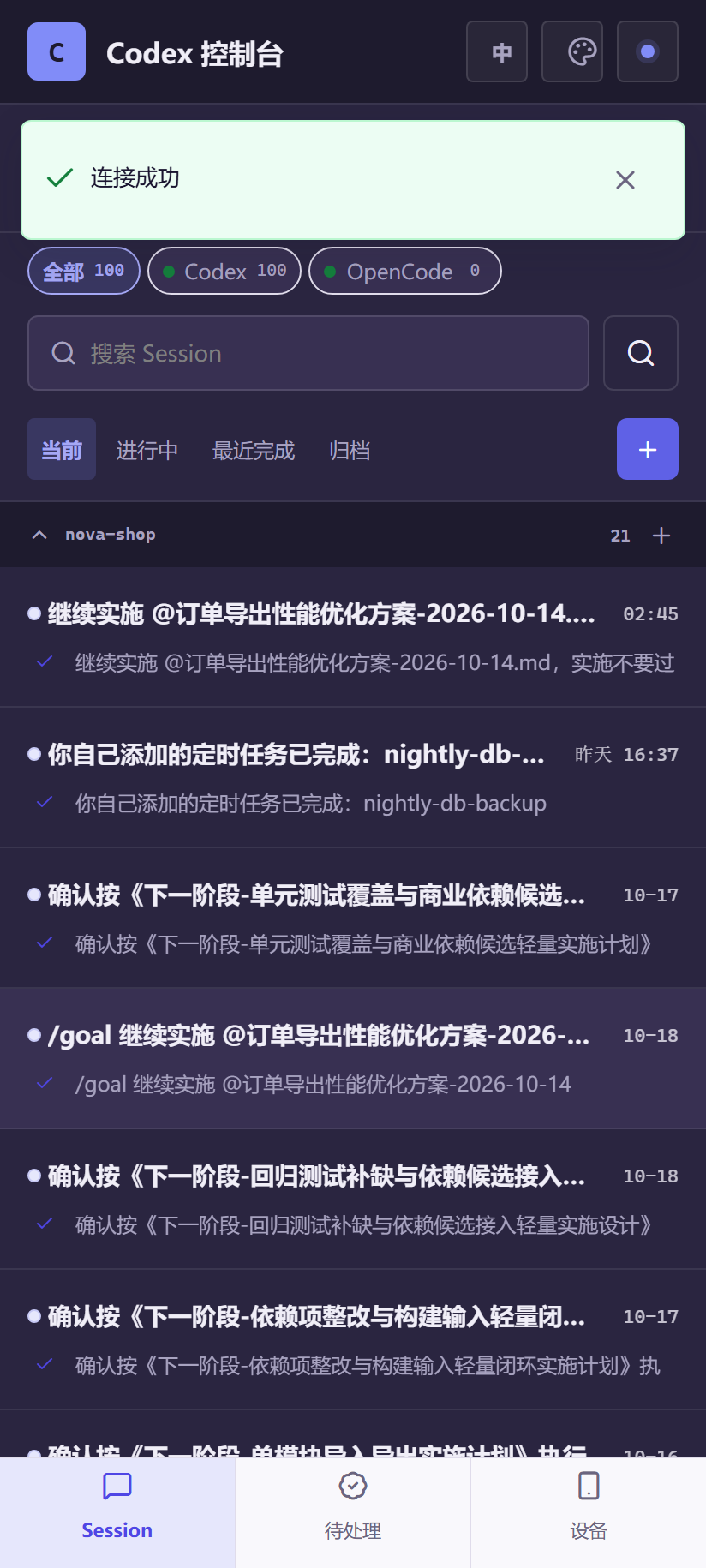
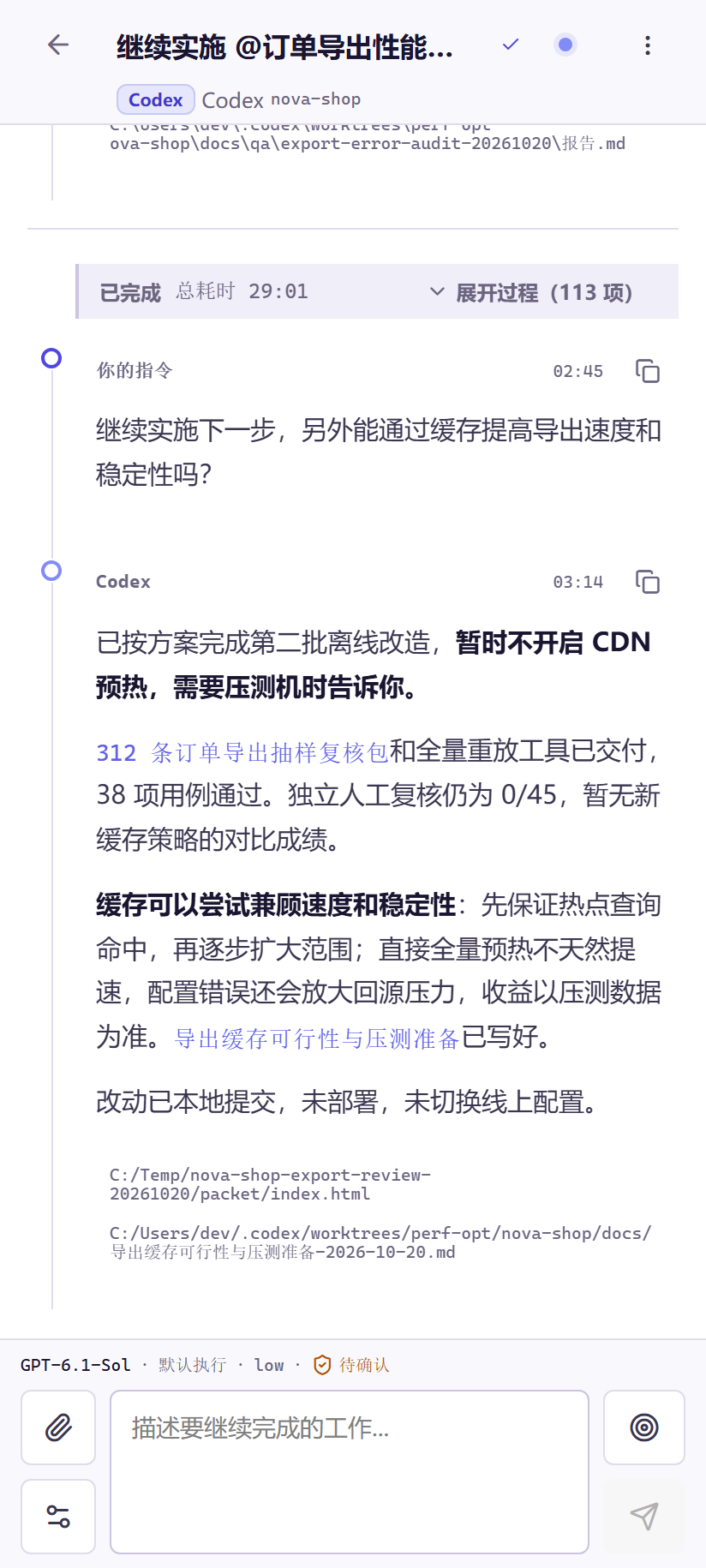
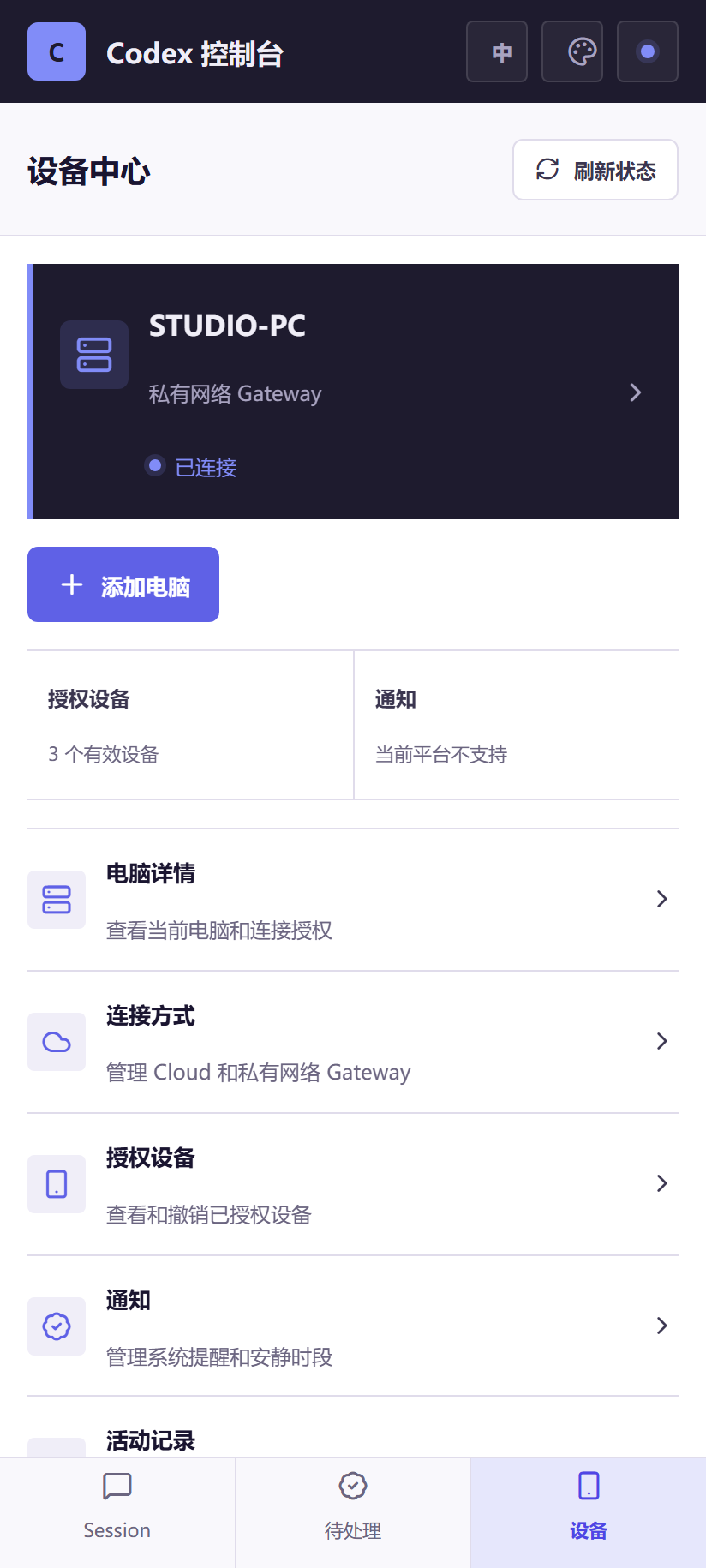
Three real-device screenshots below, not mock-ups (the session content is demo data): the session list of every coding agent on your computer, the full progress record inside one session, and the device centre. This is what you see once installed.
Invite builds are released in batches. The phone app is an Android package; the computer app is a Windows portable bundle — unzip and run, nothing to install. The SHA256 checksums are printed right below, so you can verify a file before or after downloading it; the .sha256 sidecars are downloadable too.
7a44fc29bd1d1f98800ebda48edb790dd4bc21f16c071781d0895126a2b1bff4
d8d7d9f308757ee847c2aef50d3df89bf5edd00b9b8193d5e1b9ecffb5acd769
How to verify: on Windows run certutil -hashfile <file> SHA256 in PowerShell; on macOS / Linux run shasum -a 256 <file>, then compare the output character by character with the value above. Or drop the .sha256 file next to the installer and run sha256sum -c — an OK result means the file is intact.
AgentLink only carries the looking and the tapping to your hand. Session content, code and attachments stay between your own two endpoints.
What happens where
| Stage | Where it happens |
|---|---|
| Sessions and code | On your computer, never uploaded |
| Encryption and decryption | At your phone and your computer; nothing in between can open it |
| The relay | Introduces the two ends and forwards; stores nothing, decrypts nothing |
| Accounts and device authorisation | agentlink.zyaisoft.cn — it decides who may connect, not what is connected |
Revoke that device in the panel and its authorisation and connections go with it. Other devices are unaffected.
Revoking a computer drops the connections it holds. It is a cut, not a pause.
Product summary
| Item | Detail |
|---|---|
| Status | Beta |
| Product | AgentLink |
| Standalone site | https://agentlink.zyaisoft.cn/ |